Responsive Design Made Easy: Optimizing Your Site for Mobile
In today’s digital world, where smartphones are an extension of our hands, a mobile-optimized website is no longer optional—it’s essential. From small businesses and e-commerce shops to artists and bloggers, everyone needs a site that looks just as stunning on a mobile screen as it does on a desktop monitor. Fortunately, Ucraft makes responsive design incredibly simple with its intuitive drag-and-drop editor and powerful mobile breakpoints.
Whether you're building your first website or giving your current one a much-needed makeover, this guide will help you understand the importance of mobile responsiveness—and exactly how to achieve it using Ucraft.
Why Mobile Responsiveness Matters
Before diving into how Ucraft helps, let’s look at why mobile responsiveness is critical:
1. Mobile Traffic Dominates
Over 55% of global web traffic now comes from mobile devices. If your site isn’t mobile-friendly, you’re potentially alienating more than half your visitors.
2. Better User Experience
A responsive site ensures seamless navigation, readable text, and tappable buttons—no more pinch-to-zoom or endless side-scrolling. Happy users are more likely to stay, browse, and convert.
3. Google Loves It
Google’s mobile-first indexing means the search engine primarily uses the mobile version of your content for ranking and indexing. A mobile-unfriendly site could hurt your SEO.
4. Faster Loading Speeds
Responsive design reduces load times by optimizing content for mobile, which helps reduce bounce rates and improves engagement.
How Ucraft Makes Responsive Design Easy
Ucraft simplifies mobile optimization with its visual builder and responsive breakpoints. Let’s break down how you can use these tools to make your site look and function beautifully on every screen.
Step 1: Start With a Mobile-Friendly Template
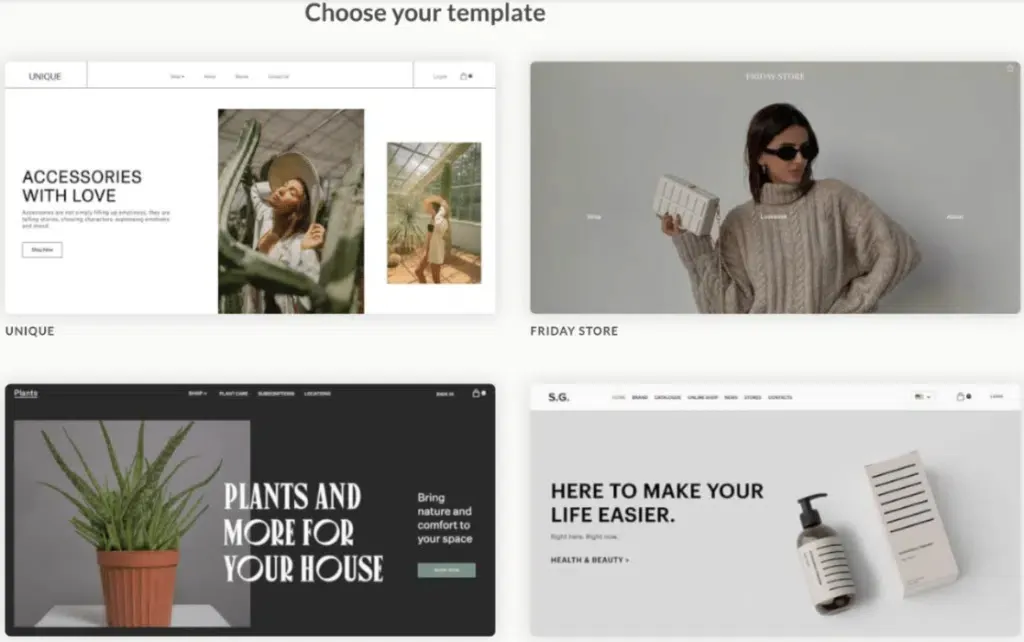
Ucraft offers a wide selection of responsive templates designed to scale smoothly across all devices. Whether you're a restaurant, creative professional, or online store owner, pick a template that already has a clean layout and scalable elements.
Pro Tip: Even though templates are responsive, tweaking them for your unique content ensures a polished final look.
Step 2: Use Ucraft’s Drag-and-Drop Editor
The core of Ucraft’s simplicity is its drag-and-drop editor. It lets you build your site by placing content blocks—text, images, videos, buttons—without touching a single line of code.
Every block and element in Ucraft’s system is built to be responsive. You can:
- Align and stack blocks vertically
- Group elements for better spacing on small screens
- Use grids and containers to maintain layout harmony
Think Mobile-First: While designing on a desktop, always ask: “How will this look on a phone?” Ucraft lets you switch views instantly, which leads us to the next step.
Step 3: Switch Between Breakpoints
Responsive design is all about breakpoints—the specific screen widths at which your site content needs to adjust.
Ucraft offers a visual way to preview and tweak your site at different breakpoints:
- Desktop
- Tablet
- Mobile
With just a click, you can toggle between these views in the editor. You’ll see how elements stack, resize, and adapt—and you can make device-specific changes right from the same dashboard.
What Can You Customize by Breakpoint?
- Font sizes
- Image scaling
- Padding/margins
- Element visibility (e.g., hiding large headers on mobile)
- Layout arrangement (e.g., stacked vs. side-by-side)
This is incredibly powerful. You don’t need duplicate pages for mobile and desktop—you just tweak how elements behave under different screen sizes.
Step 4: Hide or Show Elements by Device
Sometimes what works on a desktop just doesn’t on mobile. Ucraft lets you hide specific elements based on device type.
For instance:
- Complex image galleries might slow down mobile load time—hide them on phones
- You might want a shorter CTA button for mobile
- A detailed menu can be replaced with a simple hamburger icon
To do this, select the element, go to its settings, and toggle visibility per device. It’s that easy.
Step 5: Adjust Spacing and Typography
Mobile screens are small, and attention spans are even smaller. Ensure your site is skimmable and easy to interact with:
- Keep line lengths short for readability
- Add adequate padding around buttons to make them tappable
- Use short paragraphs and bullet points to enhance readability
In Ucraft, all of this is adjustable at the breakpoint level. That means you can have smaller fonts on desktop and bigger, bolder text on mobile without affecting one another.
Step 6: Test Before You Launch
Their real-time editor gives you a clear picture of how your site looks across devices—but don’t stop there.
Before publishing:
- Preview your site on different screen sizes
- Open your site on actual devices—smartphones, tablets, etc.
- Test navigation—is your menu accessible? Are links and buttons tappable?
- Check load speed on mobile using tools like Google PageSpeed Insights
Also, make sure:
- Images load quickly (optimize with WebP format if possible)
- There’s no horizontal scroll on any page
Step 7: Optimize and Iterate
Responsive design isn’t a one-time task. Once your site is live, keep an eye on analytics to understand:
- Where your users are coming from (mobile vs. desktop)
- Bounce rates by device
- Conversion performance by screen type
If mobile users have high drop-off, revisit your mobile design and iterate. With Ucraft’s editor, small changes are quick and easy to apply—no developer needed.
Bonus: Use Mobile-Friendly Features
Take advantage of mobile-specific features to enhance UX:
- Sticky headers for easier navigation
- Scroll-to-top buttons
- Popup opt-ins tailored for mobile (e.g., one-click email capture)
- Mobile navigation menus (hamburger-style)
These enhancements are all built into Ucraft’s design tools, so you can easily activate them without external plugins.
Optimizing your site for mobile used to require specialized knowledge of CSS, responsive frameworks, and mobile testing tools. But with Ucraft, responsive design becomes accessible to everyone, regardless of tech skill.With flexible templates, intuitive breakpoints, and device-specific design tools, Ucraft empowers creators, entrepreneurs, and brands to build mobile-ready websites that look and feel amazing—everywhere.In a world where mobile is king, make sure your site isn’t just visible on smartphones—but unforgettable.
